 Image unavailable. The source caption, original image link and project text remain available.
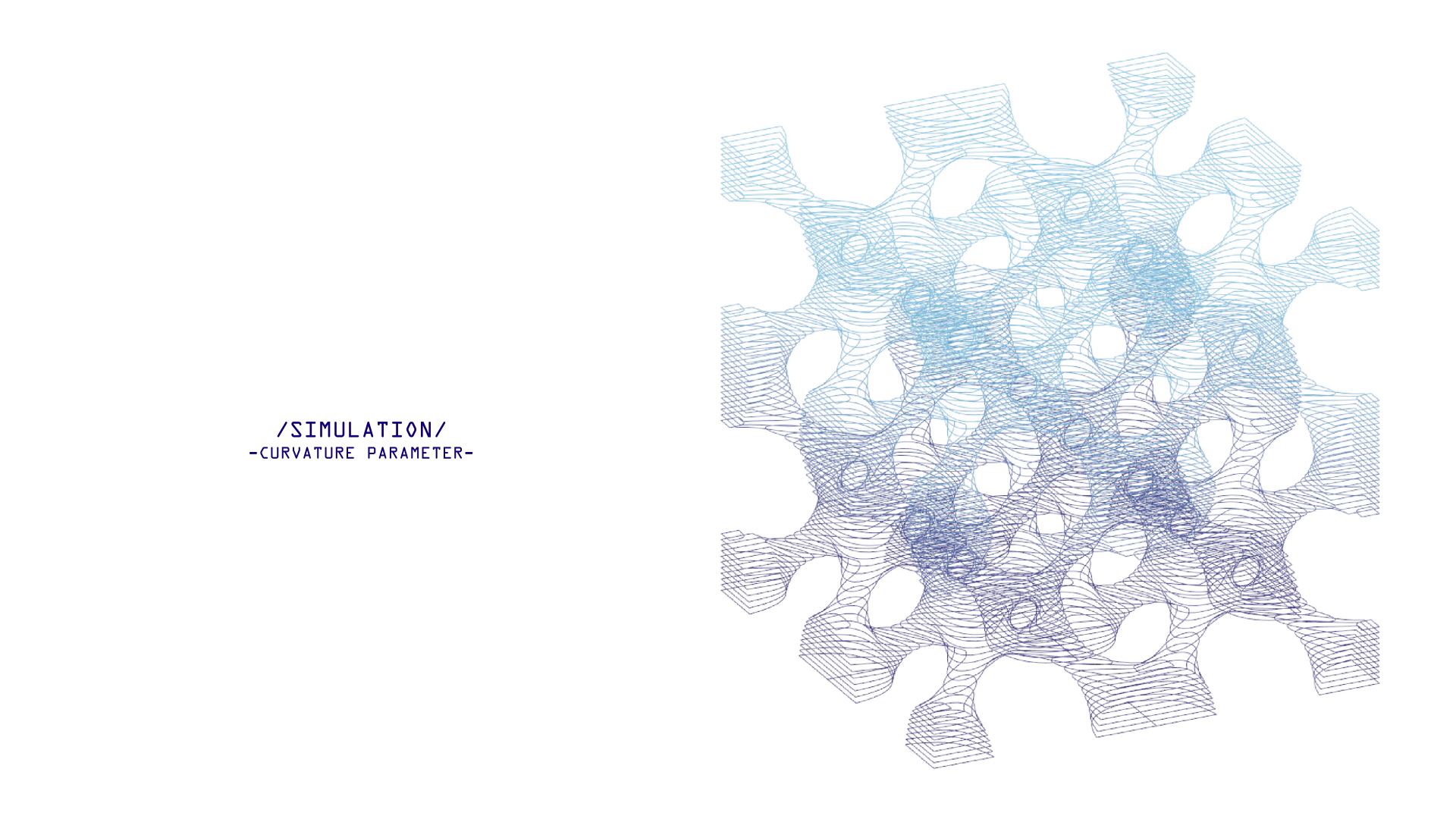
Curvature-parameter assembly simulation from the original studio film.
Studio design and digital animation: Chia-Hsuan Chao / National Cheng Kung University.Open full image (new tab)Heat rotate cutting
I used rotary heat cutting to connect the shape of a polystyrene unit with the way it is made, then explored how those units could form an assembly.
Follow the study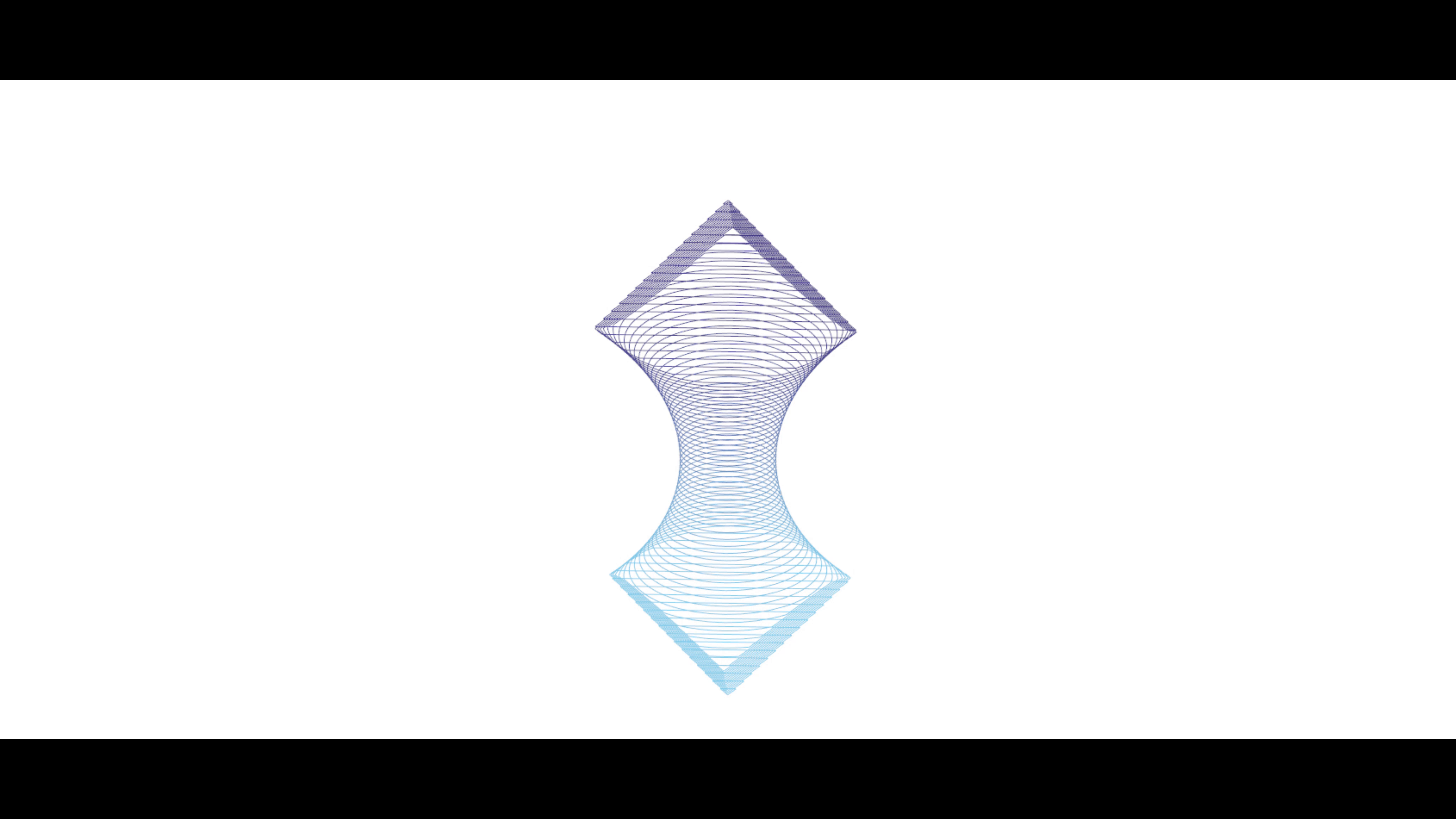
Original source view.
Study model of the rotary-cut assembly.
Scroll to follow the camera. With focus, use arrow keys to inspect; Home or Esc returns to the current scroll view.
Original unit-geometry animation from the studio film materials.
Studio design and digital animation: Chia-Hsuan Chao / National Cheng Kung University.
Begin with one unit.
Rotating the polystyrene blank changes how the cutter meets its surface. I explored this relationship as a way to develop custom units rather than treating fabrication as a final step.
The unit-geometry study provides the starting point: a shaped part that can be considered both as a cutting problem and as an element in a larger assembly.
Original source view.
Study model of the rotary-cut assembly.
Scroll to follow the camera. With focus, use arrow keys to inspect; Home or Esc returns to the current scroll view.
Original unit-geometry animation from the studio film materials.
Studio design and digital animation: Chia-Hsuan Chao / National Cheng Kung University.
Turn the unit into a cutting workflow.
I connected geometry development with cutting-path optimisation, G-code conversion and machine setup. The original workflow figure relates the layered unit and its cutting profile to these steps.
The unit model and the recorded workflow describe different parts of the same design process: what is being made, and how its geometry reaches the machine.
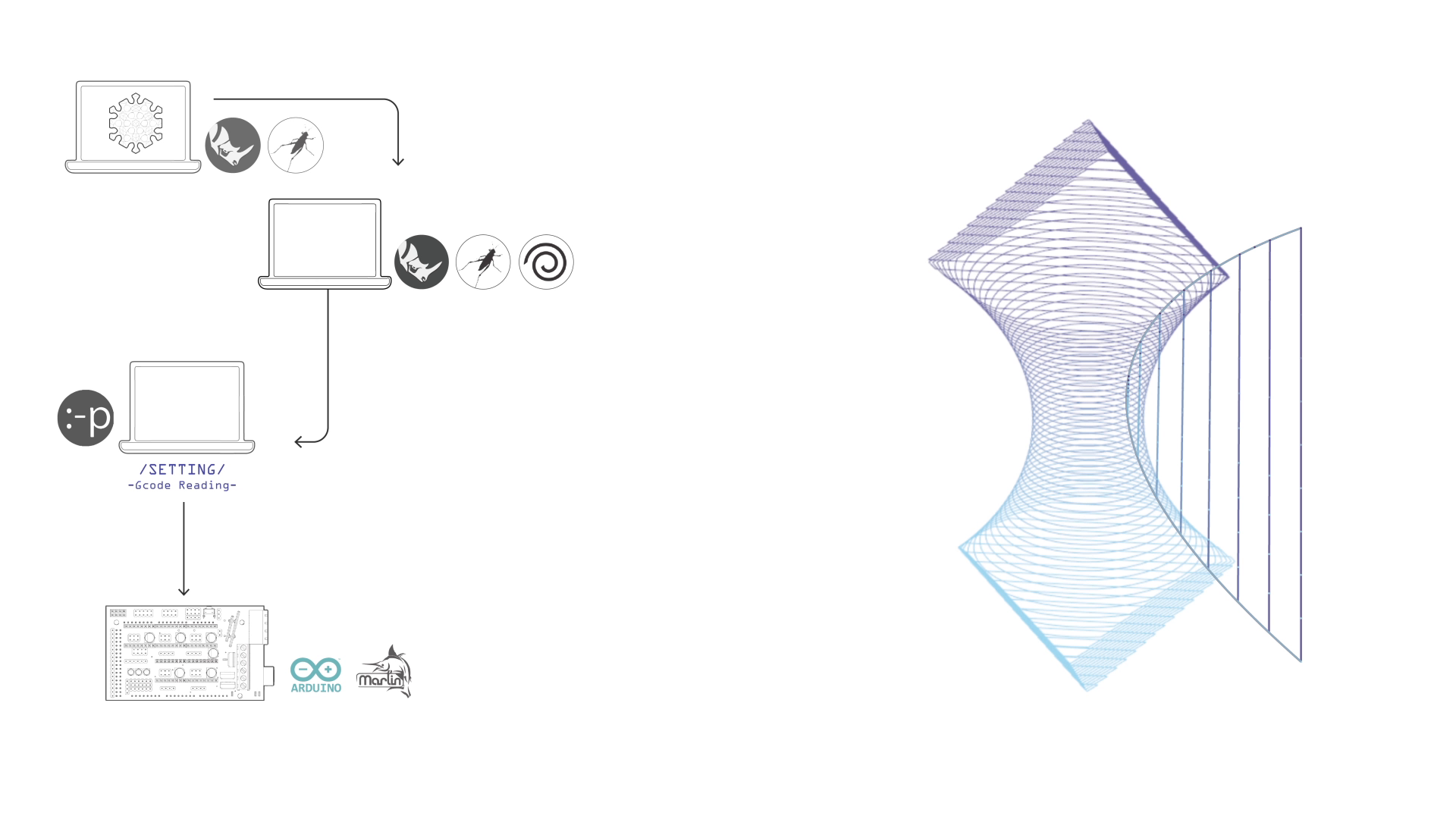
Recorded design-to-code workflow and unit cutting-profile study from the original studio film.
Studio design and digital animation: Chia-Hsuan Chao / National Cheng Kung University.Open full image (new tab)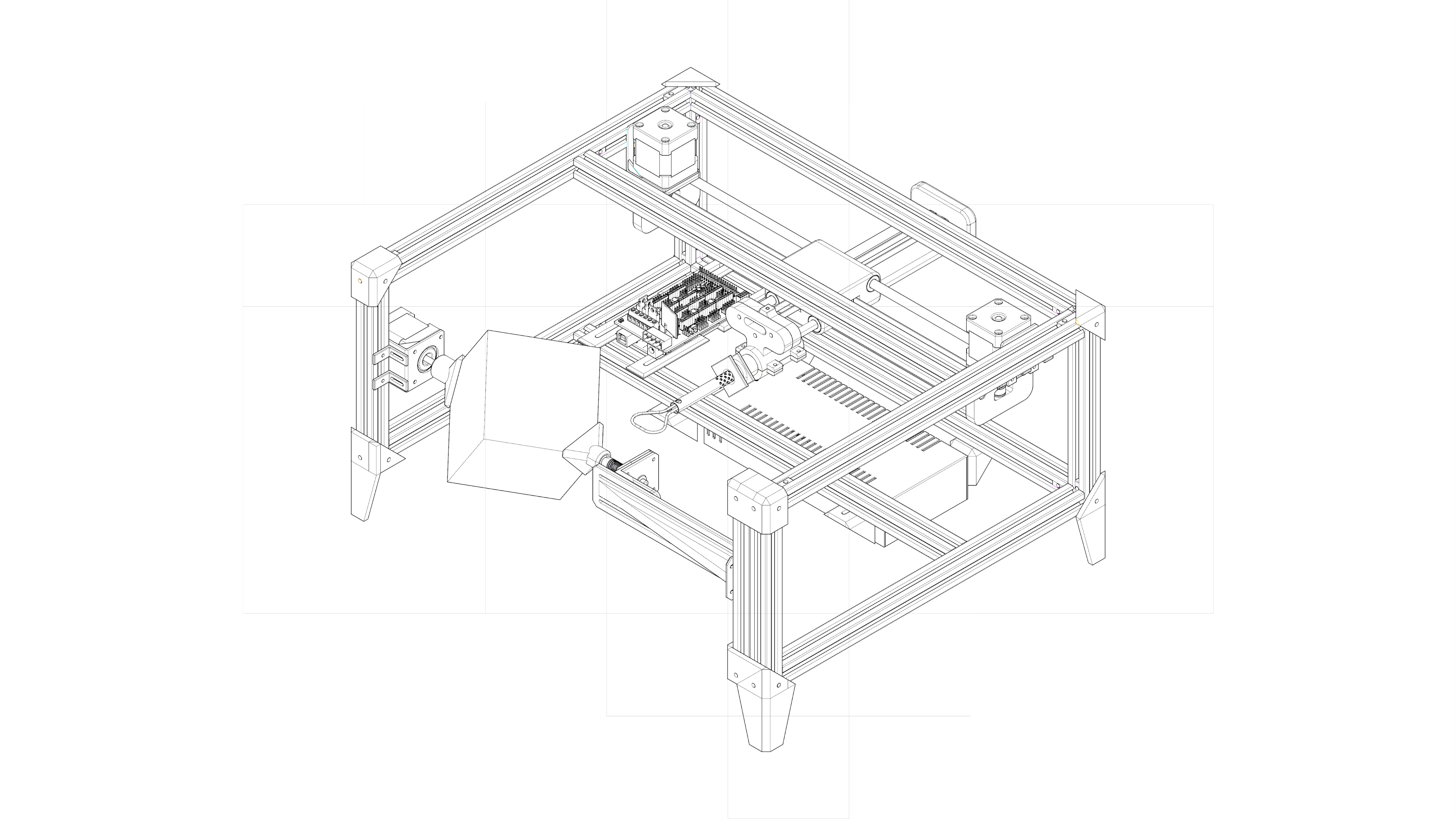
Original studio simulation of the complete rotary-cutting machine and rotating blank.
Studio design and digital animation: Chia-Hsuan Chao / National Cheng Kung University.
Coordinate the tool and the rotating blank.
The machine study combines planar CoreXY-style tool movement with a rotating holder for the polystyrene blank. Motors, rods, belts and bearings coordinate tool and workpiece.
The original digital simulation shows the whole mechanism. The accompanying diagrams distinguish rotating and working areas and show the CoreXY motion frame; Arduino and Marlin provided control foundations for the workflow.
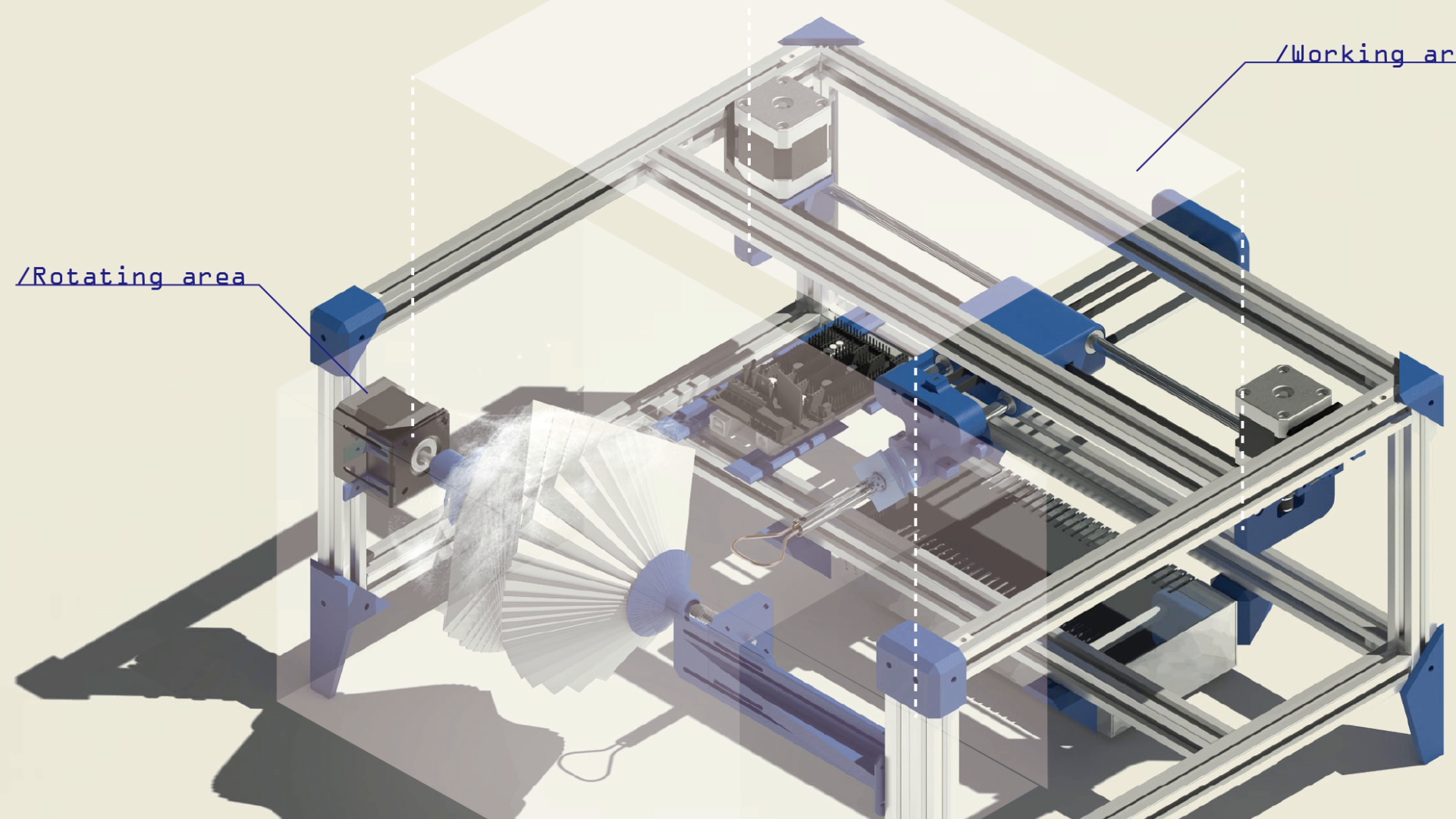
Rotating area and working area in the film's digital machine study.
Studio design and digital animation: Chia-Hsuan Chao / National Cheng Kung University.Open full image (new tab)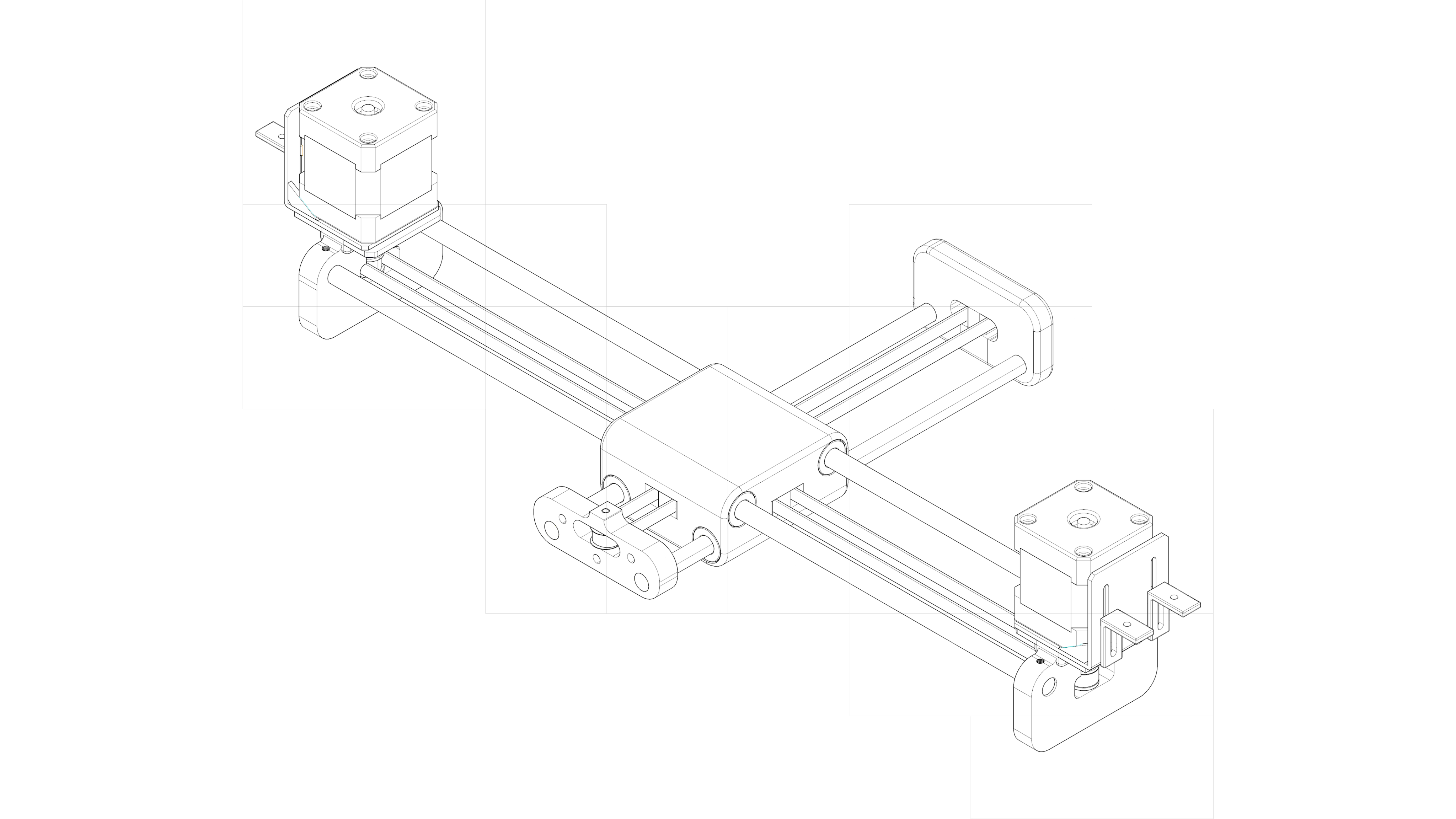
CoreXY movement study from the original studio animation.
Studio design and digital animation: Chia-Hsuan Chao / National Cheng Kung University.Open full image (new tab)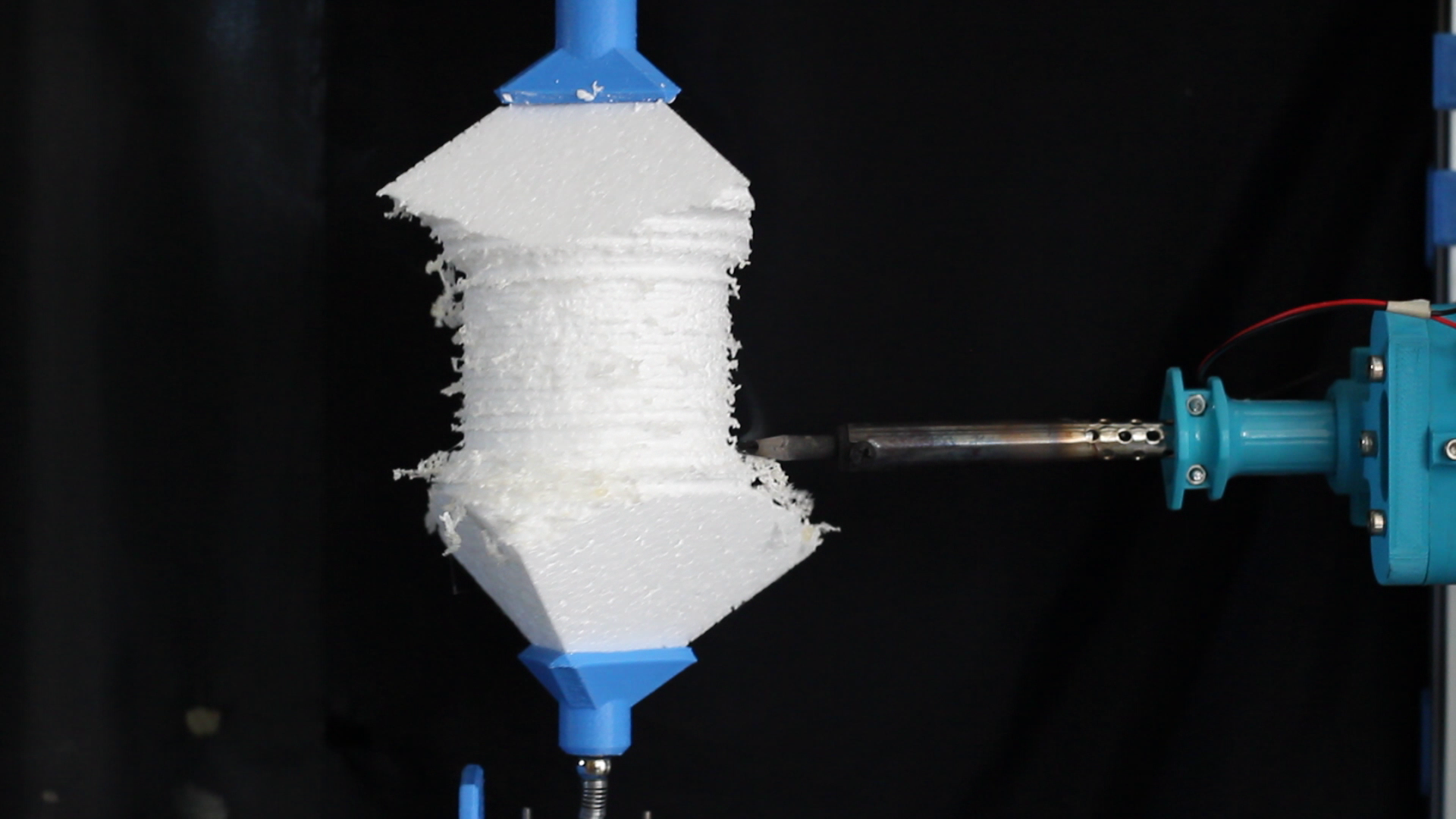
Original recording of the physical rotary-cutting prototype machining a polystyrene workpiece.
Studio design and fabrication: Chia-Hsuan Chao / National Cheng Kung University.
See the prototype make a cut.
The workshop recording moves from the digital mechanism to the built prototype. A mounted polystyrene workpiece rotates between its holders while the heated tool engages the surface.
This wider view keeps the blank, supports and cutter together. It establishes the operation before the next recording looks closely at the material contact.
Physical heat-cutting operation from the original studio film.
Studio design and fabrication: Chia-Hsuan Chao / National Cheng Kung University.
Look closer at the tool and material.
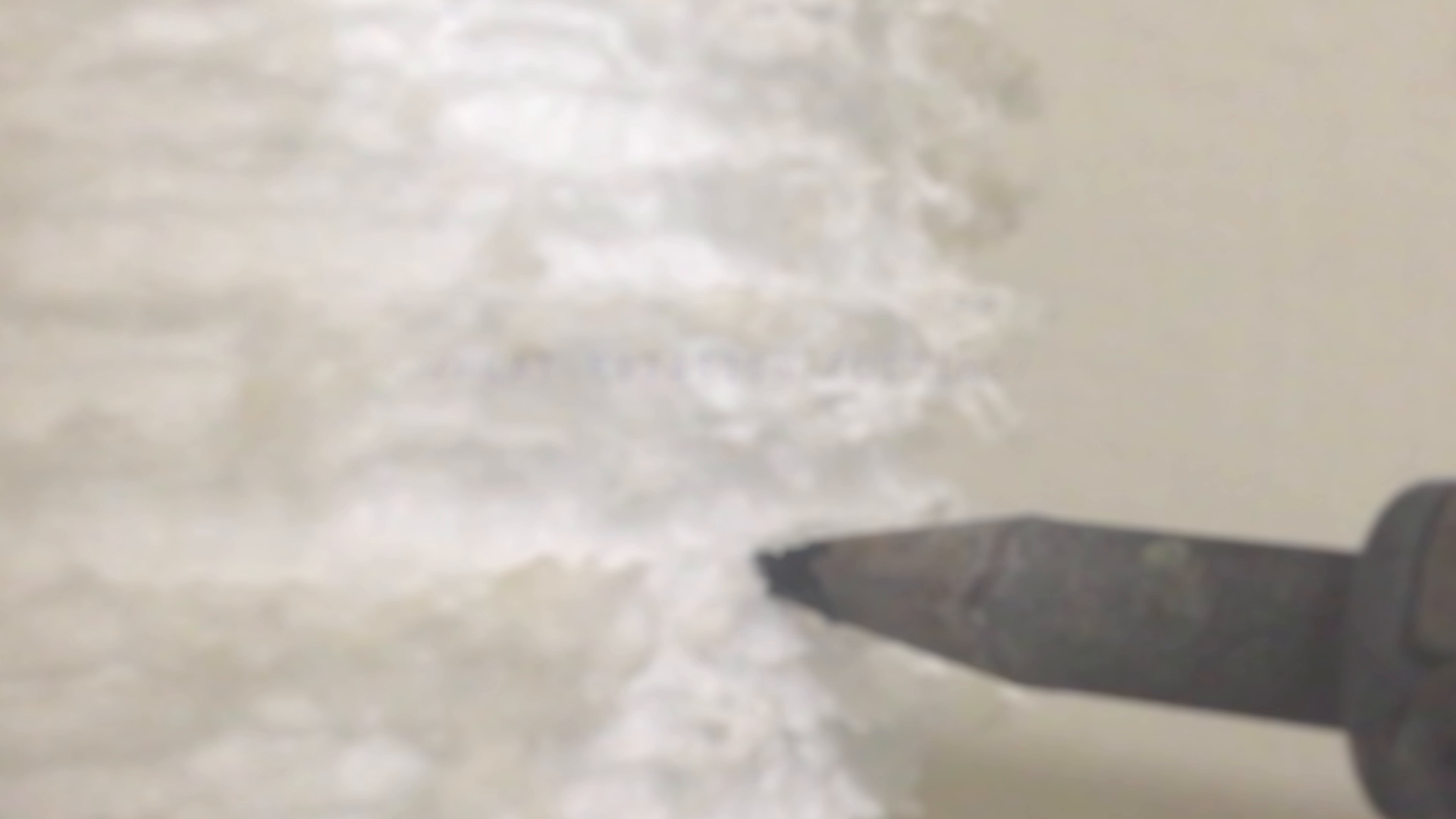
The studio film records the heated tip meeting the polystyrene as the cut develops. This closer view makes the material encounter visible at a different scale from the preceding prototype recording.
I connected the cutting profile and machine setup with material trials, using the resulting surface texture as part of the design study. The two recordings document physical cutting, not a simulated fabrication result.
Curvature-parameter assembly simulation from the original studio film.
Studio design and digital animation: Chia-Hsuan Chao / National Cheng Kung University.
Return from the cut to the assembly.
The opening assembly study can now be read through the unit, toolpath and physical cutting operation that informed it. I used custom units to explore how fabrication could shape an assembly design.
The image shown here is a digital assembly simulation from the studio film. The physical evidence on this page documents the cutting prototype and material trials; it does not establish a completed physical version of this assembly.