An Extended-Reality App Using Motion Capture for Bending-Active Structure
I worked with Wataru Nomura to bring measured physical conditions into the digital design and assembly process. Motion capture, adaptive modelling and a mobile XR interface connect changes in bamboo geometry with decisions made during assembly.
Scroll to follow the research
Physical conditions become design inputs.
A fixed XR overlay cannot account for every bend or contact in natural bamboo. The research connects measured site conditions to an adaptive digital model, then returns updated geometry to the assembler.
The original research workspace within its architectural setting, seen straight on. Research: Chia-Hsuan Chao / Wataru Nomura · 2024.
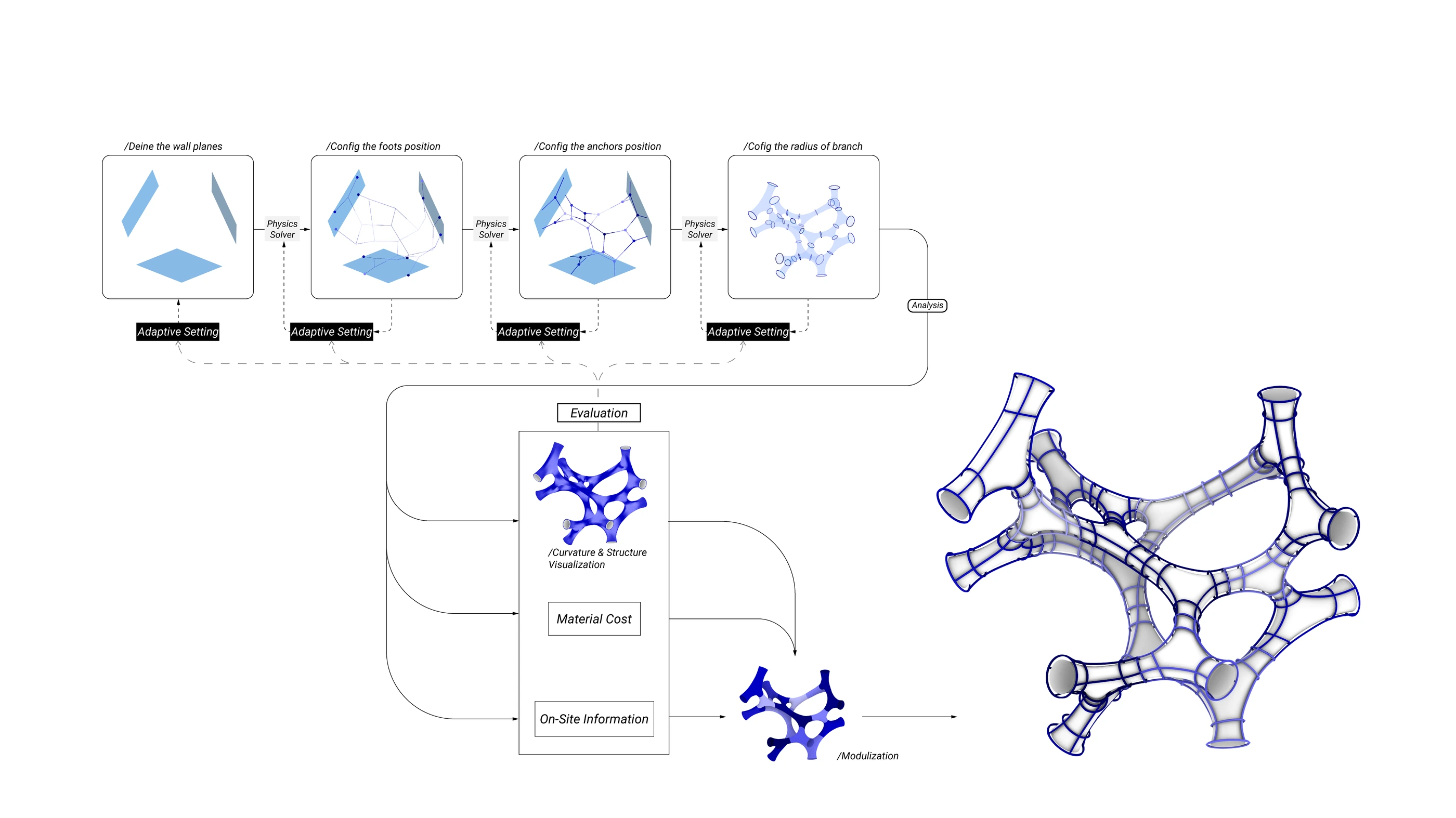
Adaptive form-finding moves from reference planes to control points and branch radius, before converting the chosen form into Y-shaped weaving modules.
Research: Chia-Hsuan Chao / Wataru Nomura - 2024.Open full image (new tab)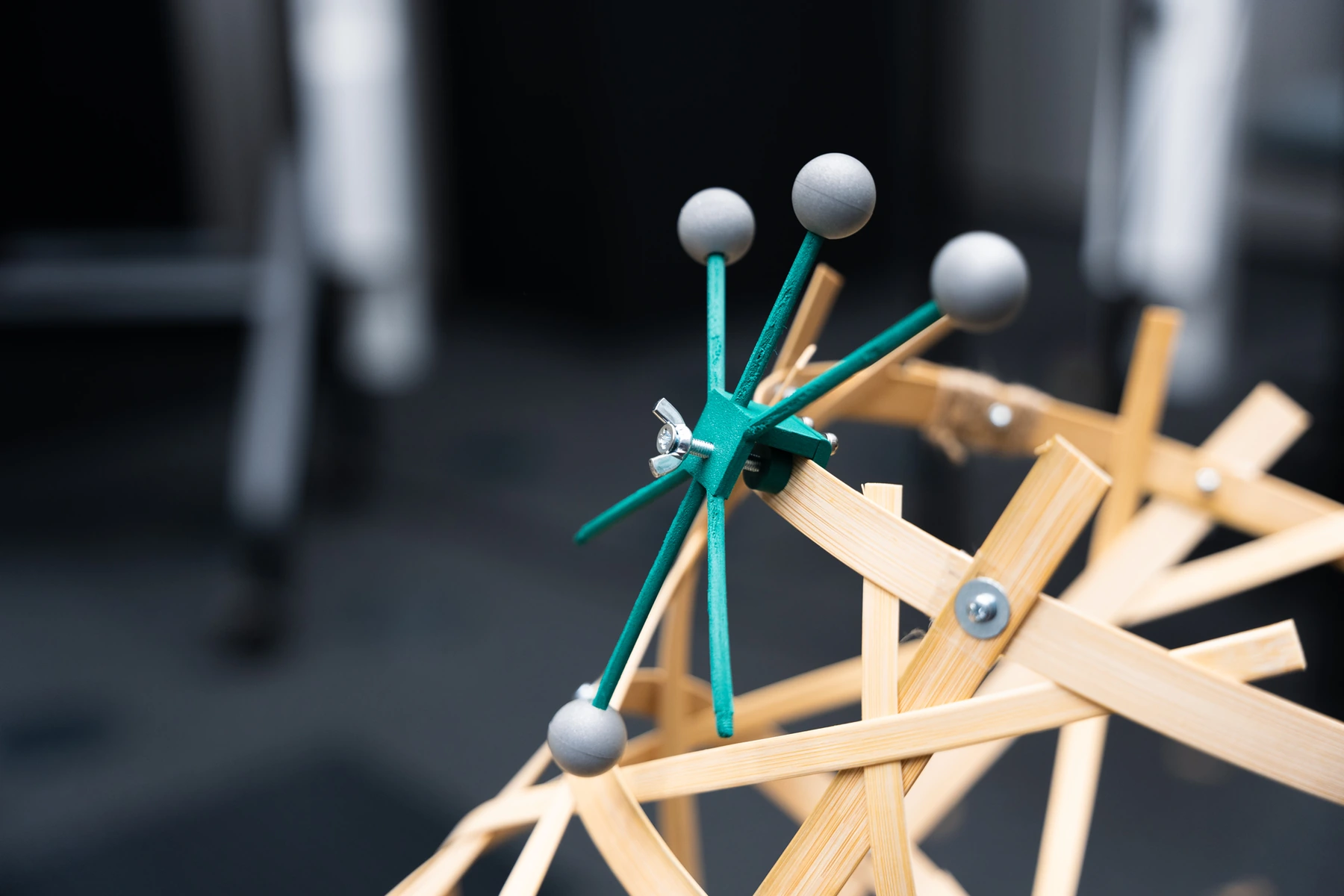
A real reflective-marker cluster attached to bamboo supplies physical reference positions.
Research: Chia-Hsuan Chao / Wataru Nomura - 2024.Open full image (new tab)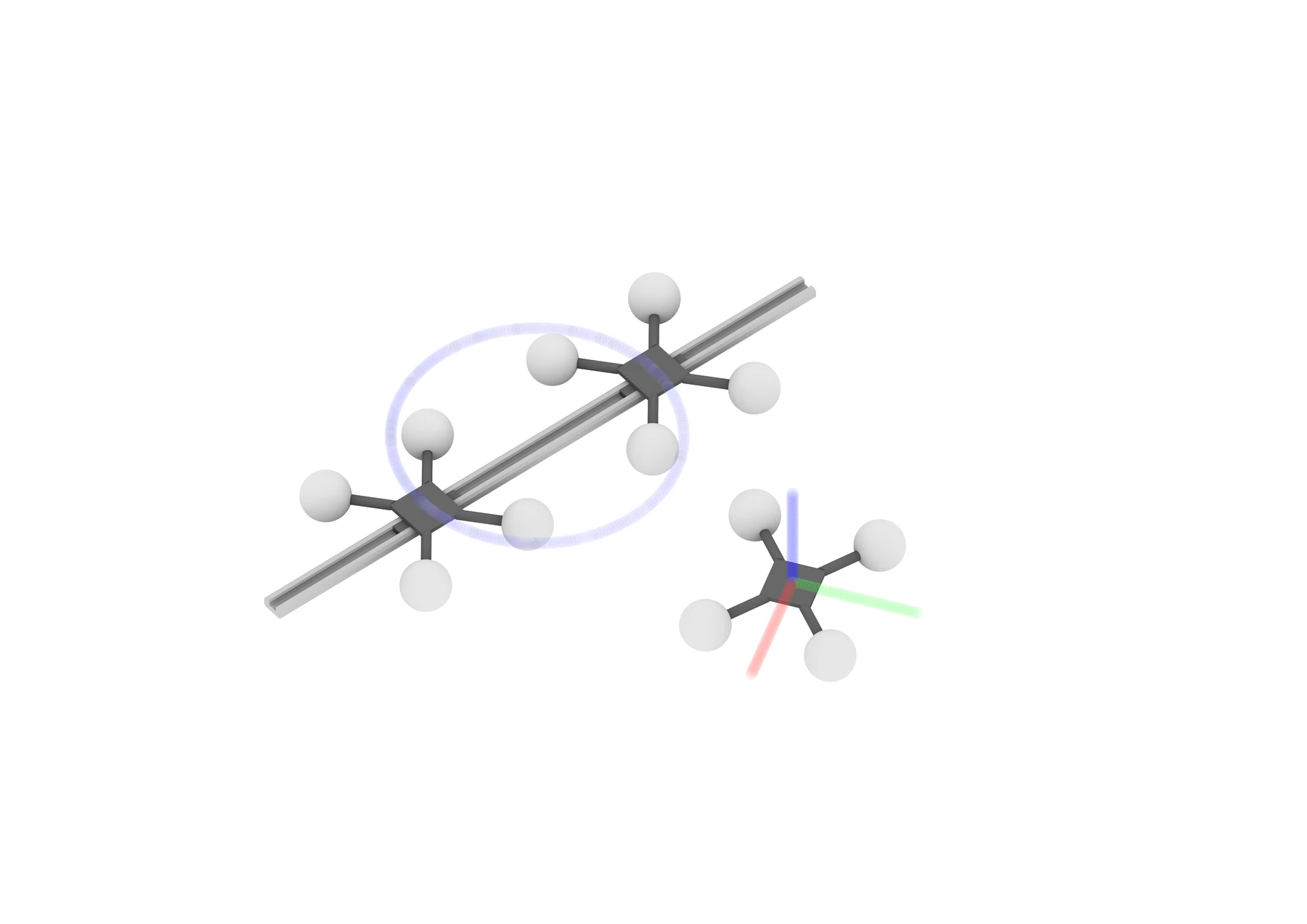
Measurement-tool illustration. Marker arrangements make physical positions available to the computational workflow; this rendering is not a tracking-accuracy measurement.
Research: Chia-Hsuan Chao / Wataru Nomura - 2024.Open full image (new tab)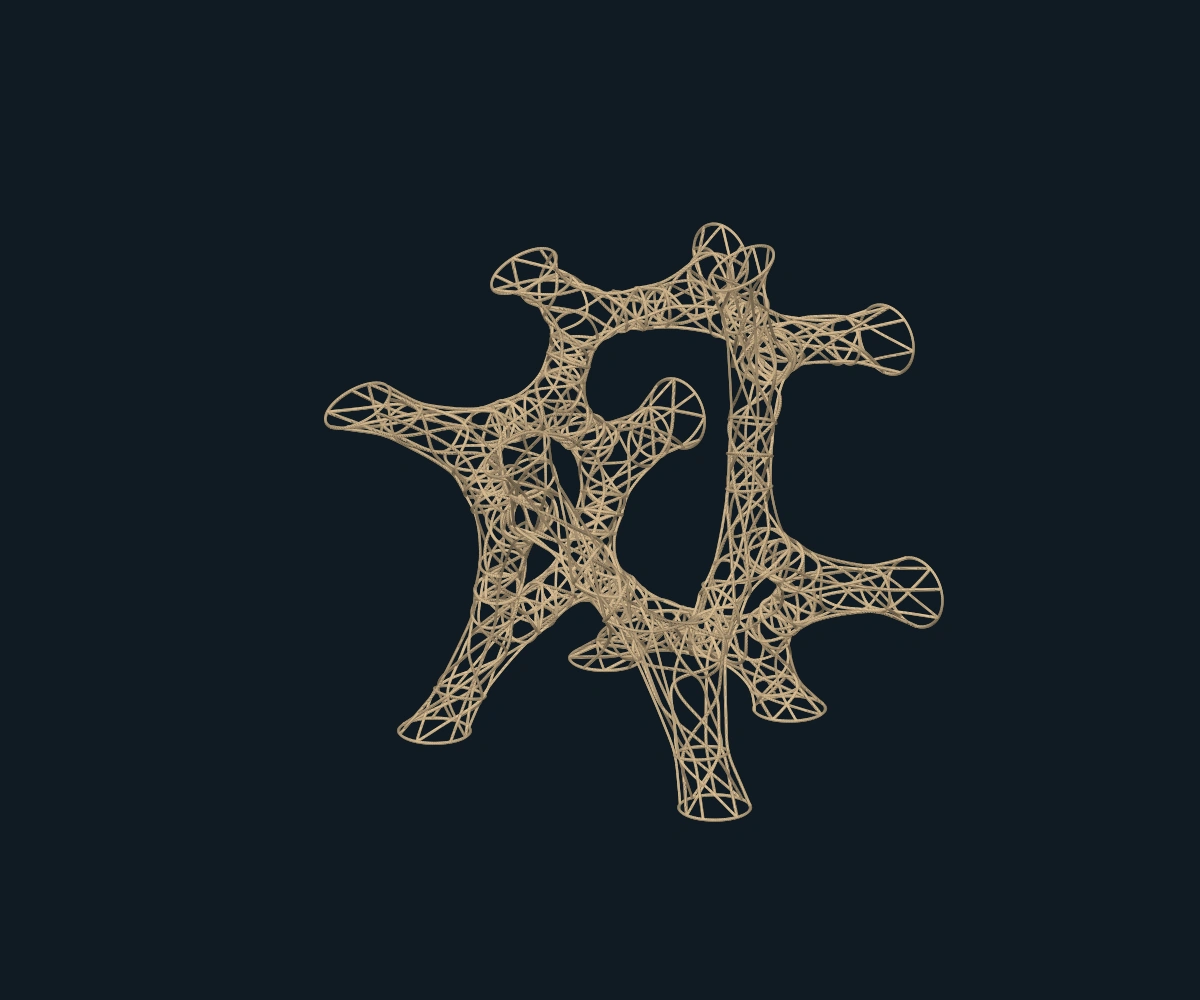
A model that can receive and return information.
Reflective markers and OptiTrack supply position information. Rhino, Grasshopper, Python and Kangaroo support the adaptive geometry; an extension to COMPAS XR connects it to the Unity app through MQTT and Firebase.
My development work included MoCap interface and event updates, measurement-frame and circle visualisation, and rod-coordinate and colour-data output between Rhino/COMPAS and the app.
- 01 / Capture
Read the physical setup
Reference planes, points and marker-equipped tools supply measured positions.
- 02 / Adapt
Update the digital form
Control-point and radius changes shape an adaptive model before modularization.
- 03 / Guide
Return an assembly reference
The mobile app displays model updates and accepts worker requests.
Explore the woven bamboo assembly.
The original project model makes the connections between Y-shaped modules visible. Rotate the complete assembly to follow how the woven strips define the larger structure.
When 3D is available, scroll to follow the camera. For optional keyboard inspection, focus the model and use arrow keys; Home or Escape returns to the current scroll view.
The assembled bamboo geometry from the original research scene, retaining its proportions, woven strips and source layer colour. This CAD model documents the design rather than a new survey of the built prototype.
Research: Chia-Hsuan Chao / Wataru Nomura - 2024.
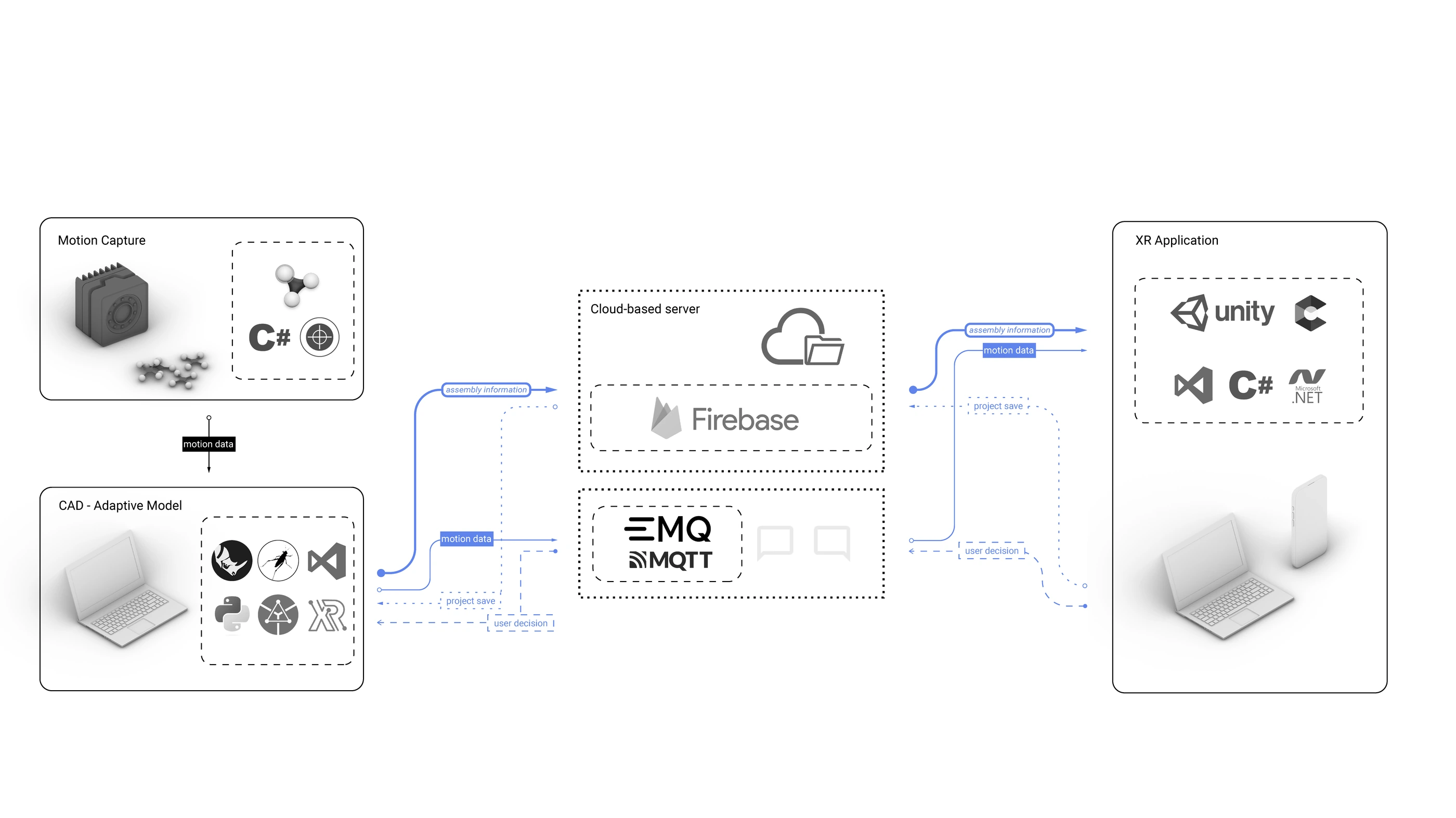
Motion data and worker requests travel between CAD and the app through publish–subscribe messages; the database stores geometry and task state.
Research: Chia-Hsuan Chao / Wataru Nomura - 2024.Open full image (new tab)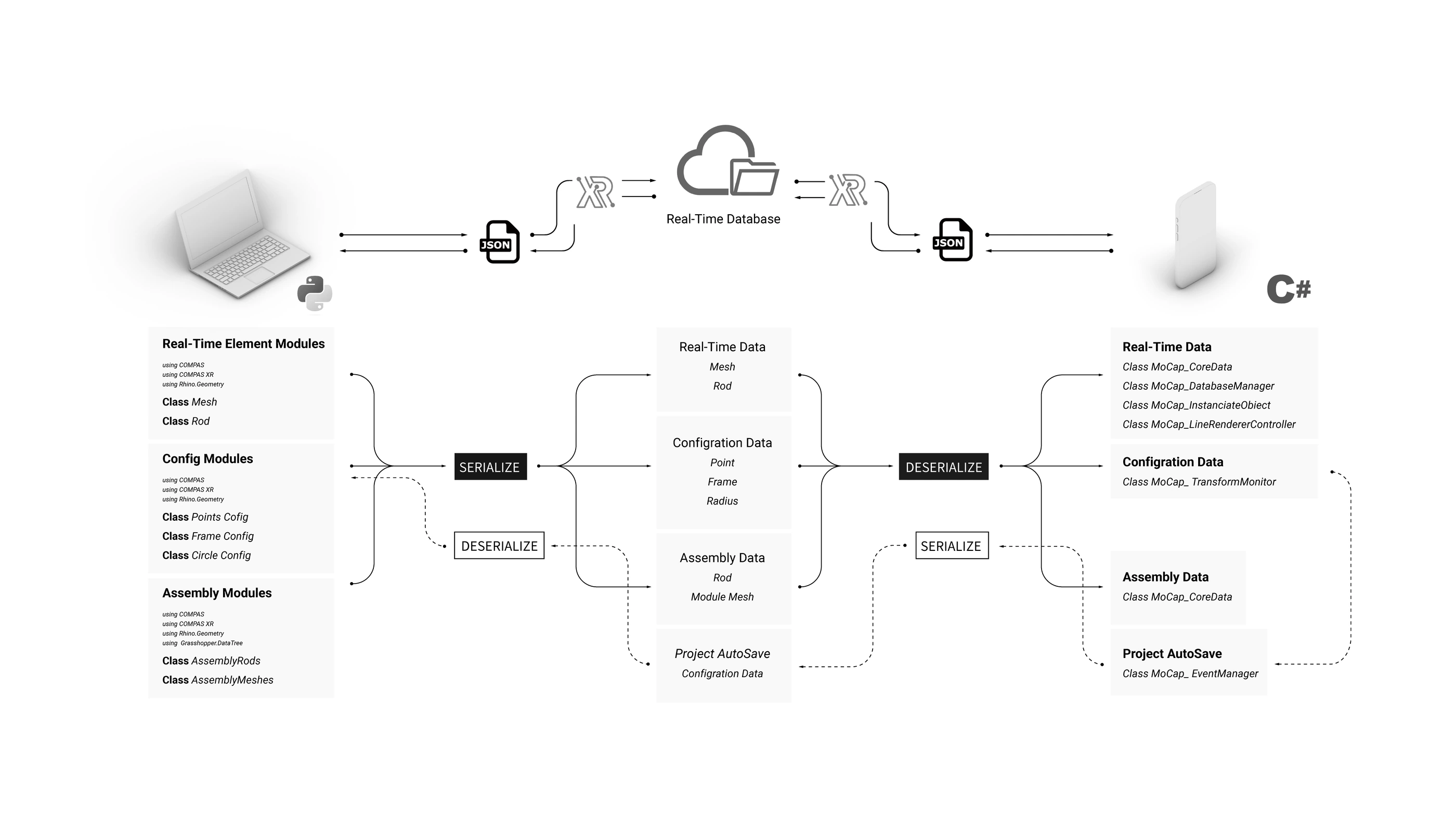
The shared software distinguishes real-time, configuration and assembly data, with JSON serialization between Rhino/Python and Unity/C#.
Research: Chia-Hsuan Chao / Wataru Nomura - 2024.Open full image (new tab)Adapt. Assemble. Join.
Three original app recordings show different tasks: repositioning a foundation control, viewing rod feedback during module assembly, and guiding connections between modules. Each recording retains its own original action and duration.
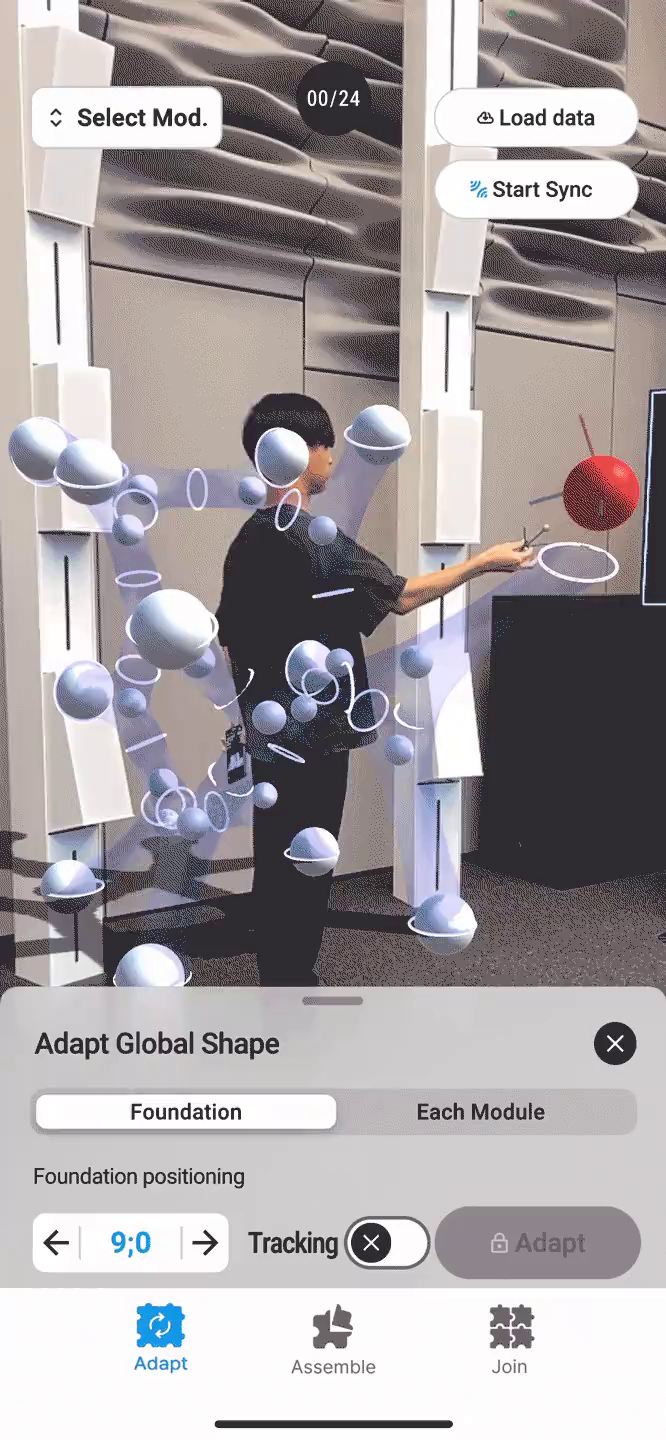
Adjust the form on site.
A recorded foundation-positioning operation changes a control point while the app displays the global adaptive model.
A thirteen-second original GIF recording of the Adapt interface and foundation-positioning feedback.
Open full recordingOriginal interface recording, presented on an iPhone display model. The website does not connect to tracking hardware.
Research: Chia-Hsuan Chao / Wataru Nomura - 2024.
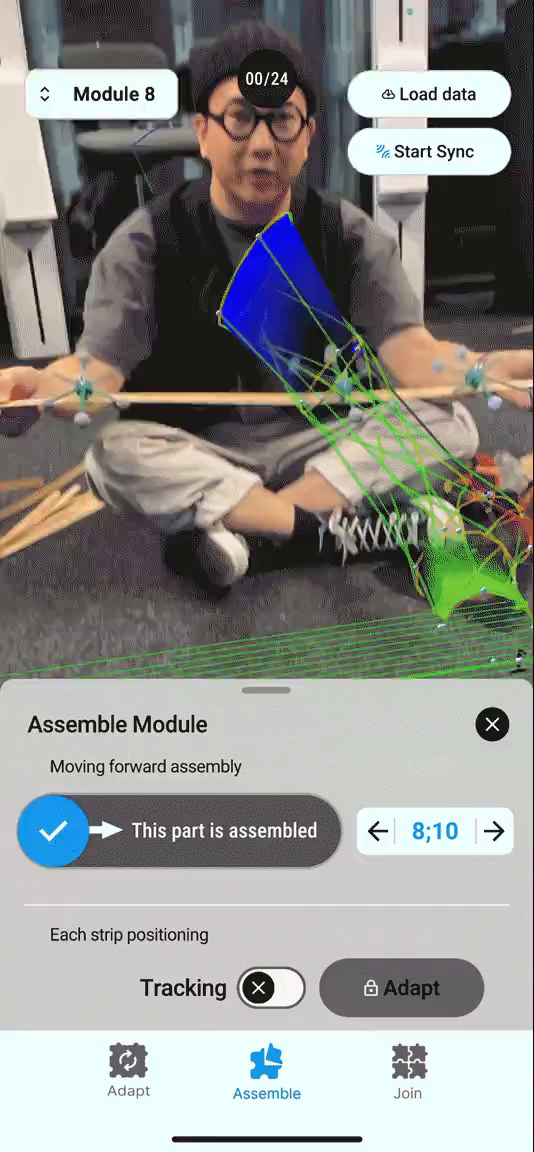
Read the rod while assembling.
The app displays marker and rod feedback beside the physical bamboo during one recorded module-assembly operation.
The complete 24.96-second original GIF recording of rod feedback during module assembly.
Open full recordingOriginal interface recording, presented on an iPhone display model. The website does not connect to tracking hardware.
Research: Chia-Hsuan Chao / Wataru Nomura - 2024.
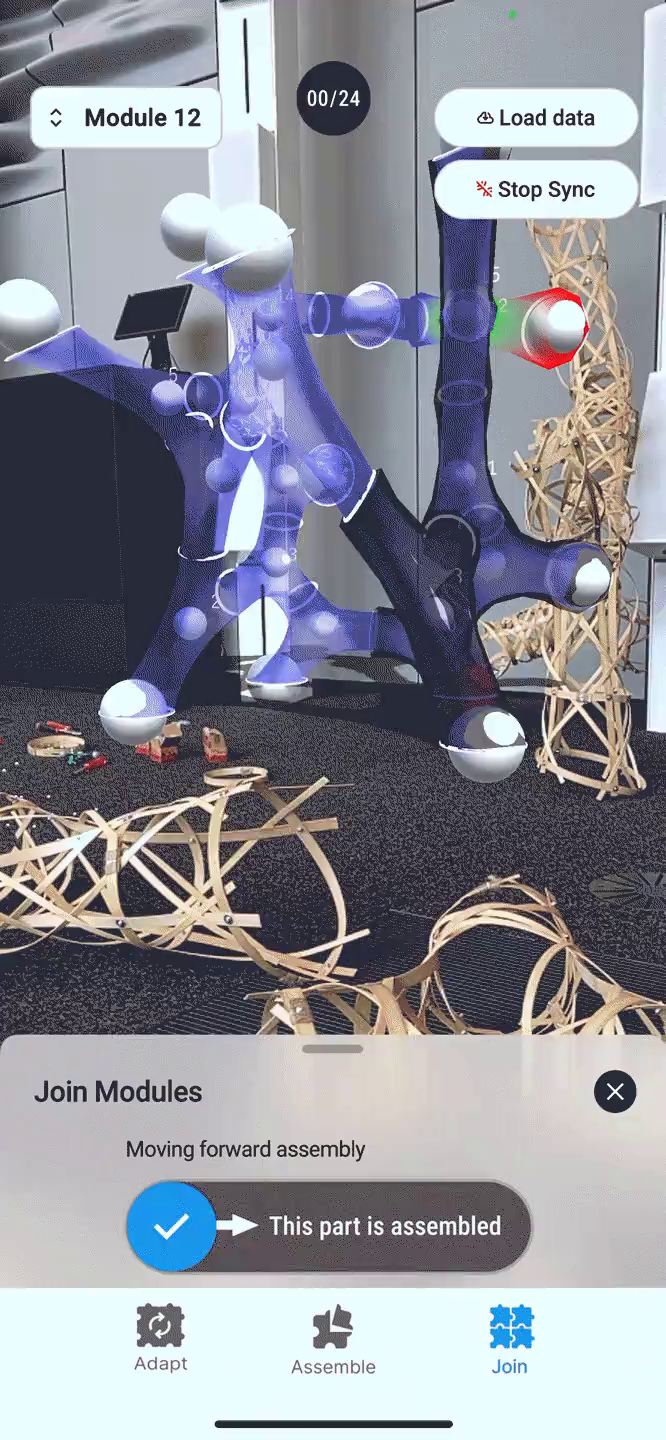
Connect modules in context.
The Join interface relates selected modules to the larger digital structure while bamboo modules are handled in the capture space.
The complete 20.3-second original GIF recording of the Join interface and module-connection guidance.
Open full recordingOriginal interface recording, presented on an iPhone display model. The website does not connect to tracking hardware.
Research: Chia-Hsuan Chao / Wataru Nomura - 2024.
From the digital model to bamboo modules.
The chosen form is divided into Y-shaped units and converted into a strip-weaving pattern. The physical work combines marker-equipped rods, the mobile interface and manual assembly.
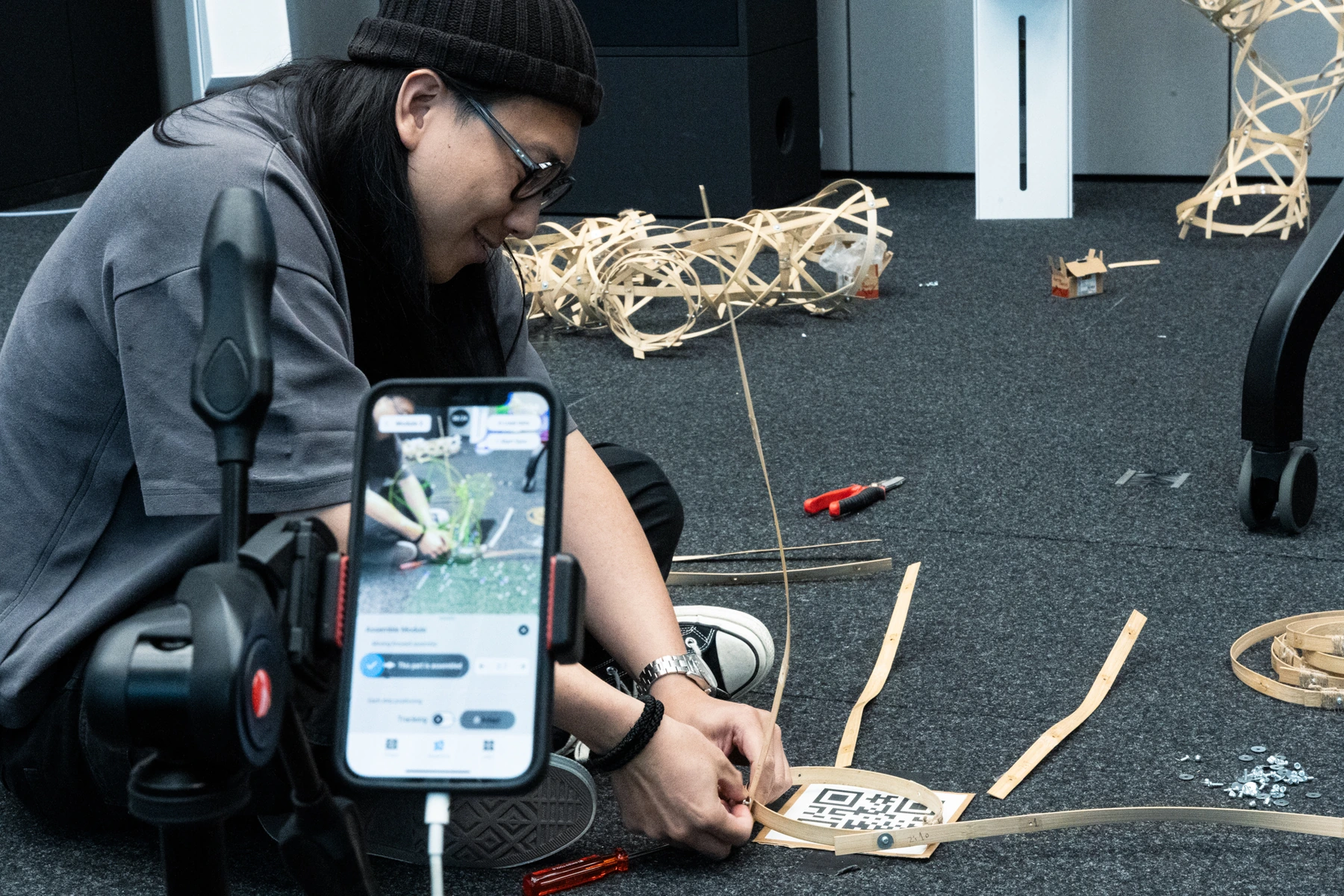
The prototype in use during physical module assembly, with the mobile interface beside the work.
Research: Chia-Hsuan Chao / Wataru Nomura - 2024.Open full image (new tab)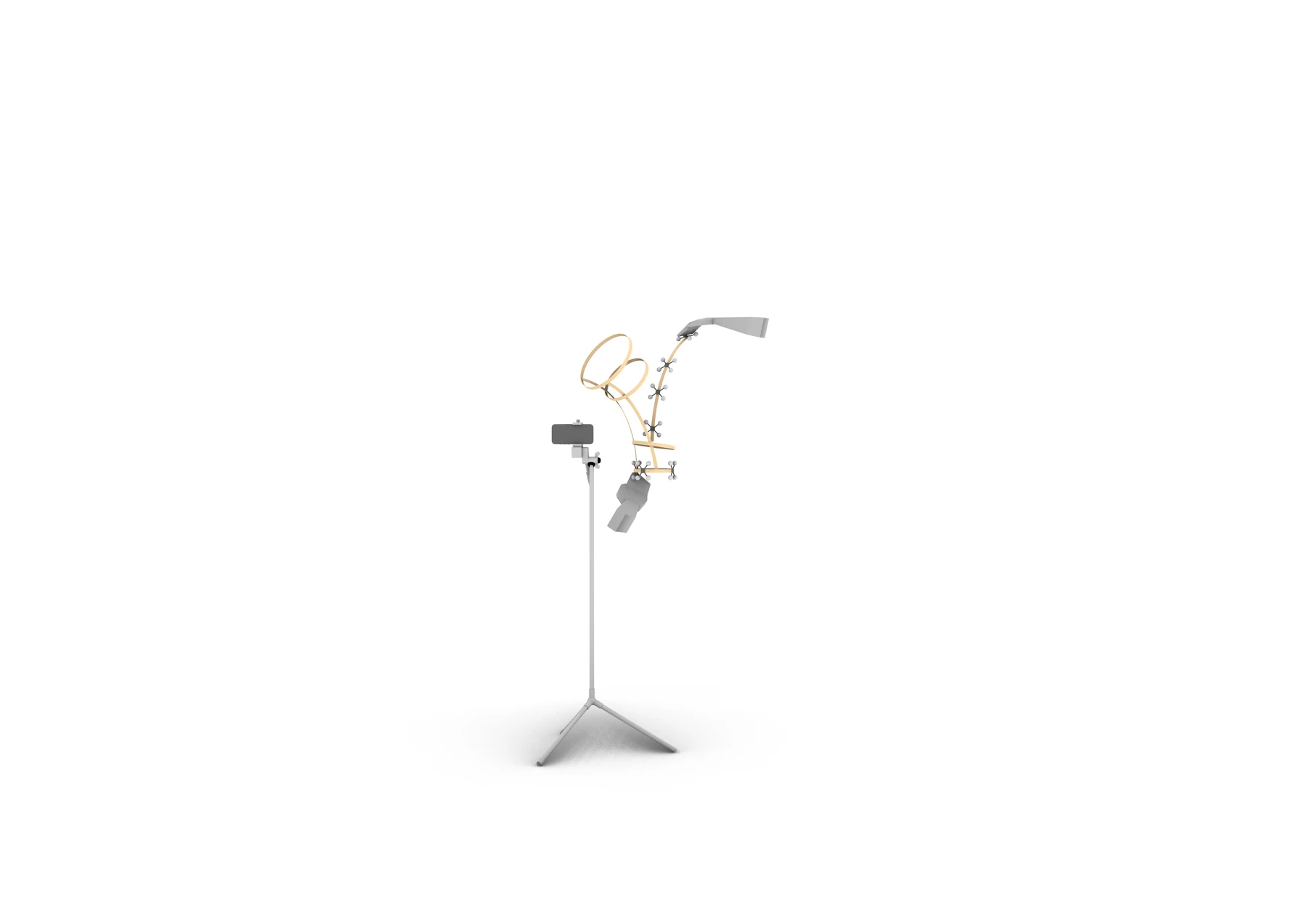
Illustration of one module's assembly setup. Module assembly and connecting the overall structure were distinct stages in the study.
Research: Chia-Hsuan Chao / Wataru Nomura - 2024.Open full image (new tab)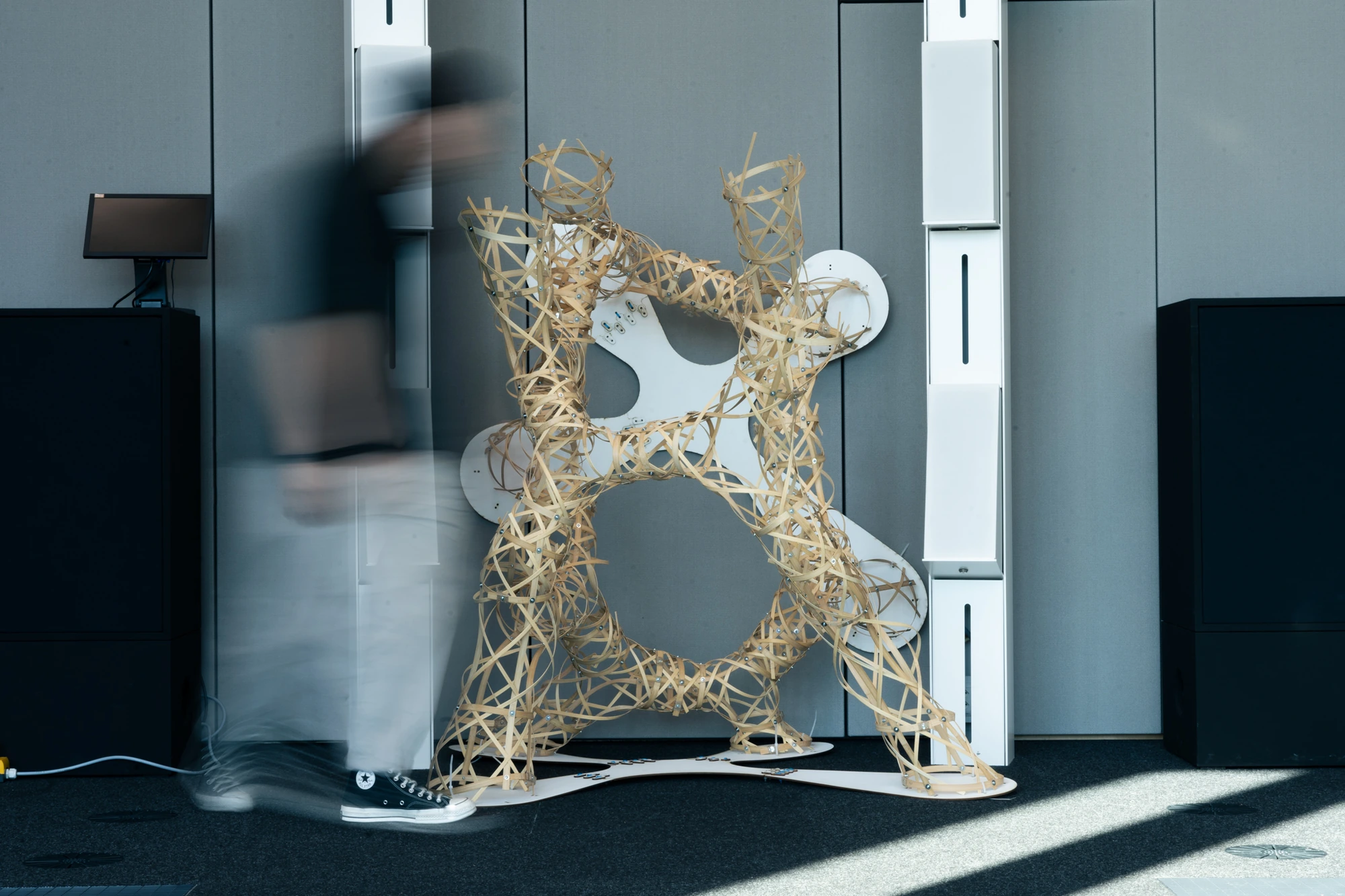
The completed 2024 research demonstration. Individual module assembly and connecting the overall structure were separate stages.
Research: Chia-Hsuan Chao / Wataru Nomura - 2024.Open full image (new tab)